
Download MoneyGuru – Personal Finance Management Software, Free & Secure
Overview – Why MoneyGuru Is the Right Tool for Modern Budgeting
In today’s volatile economic climate, keeping a tight grip on your cash flow isn’t just a habit – it’s a survival skill. MoneyGuru answers that call with a clean, real‑time dashboard that lets you see every transaction, net‑worth shift, profit or loss, and account balance at a glance. Unlike heavyweight accounting suites that drown you in endless menus, MoneyGuru focuses on the essentials: a clear layout, instant data updates, and a handful of intuitive controls that make budgeting feel like a natural part of your daily routine.
The application is built for people who want insight without jargon, and it delivers that insight in seconds. As you type new expenses or income, the software instantly recalculates totals, highlights trends, and flags irregularities, so you never have to wonder where your money went. The design philosophy behind MoneyGuru is simple – give you the power to make smarter financial decisions without forcing you to become a CPA.
Whether you’re a student juggling tuition, a freelancer tracking project income, or a family managing multiple household accounts, MoneyGuru scales to your needs while staying light on system resources. The platform also respects privacy: all data stays on your device unless you choose to sync, and the app uses industry‑standard encryption for any optional cloud backups. In short, MoneyGuru blends real‑time analytics, a straightforward user interface, and robust security into a single free tool that makes personal finance management both accessible and enjoyable.
Key Features That Set MoneyGuru Apart
- Real‑Time Transaction Feed: Every entry you add is reflected instantly across all panels, giving you up‑to‑the‑minute insight.
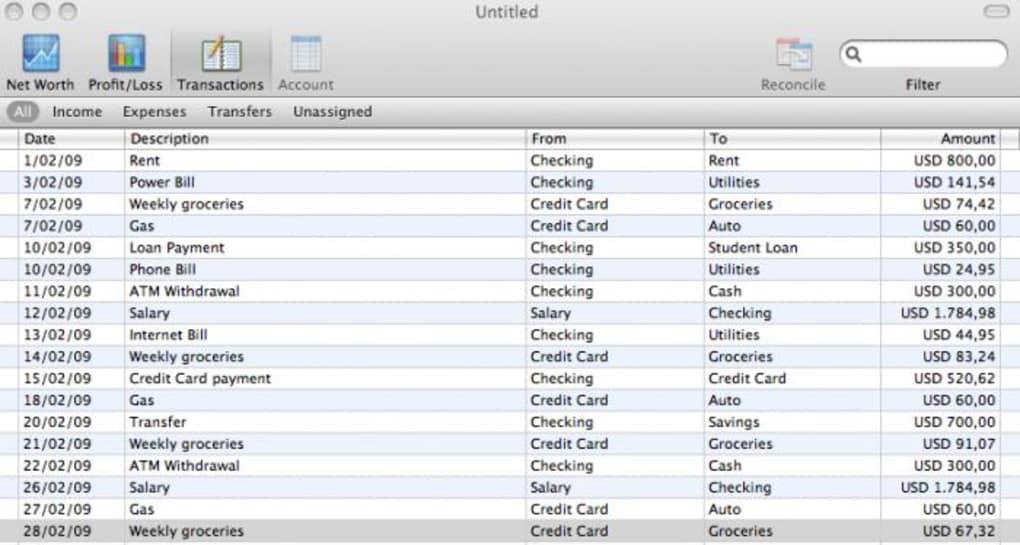
- Four‑Button Navigation: Transactions, Net Worth, Profit/Loss, and Account are reachable from the top bar, eliminating endless submenu hunting.
- Powerful Search Box: Locate any transaction or cost in seconds by typing keywords, dates, or amounts.
- Keyboard Shortcuts & Date Widget: Speed up data entry with customizable shortcuts and a drag‑and‑drop calendar picker.
- Cross‑Platform Compatibility: Fully functional on macOS (including OS X Lion), Windows, and Linux distributions.
- Secure Local Storage: All financial records are saved locally with optional encrypted cloud sync for backup.
- Minimalist Design: No hidden menus, no unnecessary jargon – just clean charts and tables that speak for themselves.
- Automatic Currency Formatting: The app detects your locale and formats numbers, symbols, and decimal separators correctly.
- Export Options: Export data to CSV, PDF, or QIF for use with other finance tools or for archival purposes.
- Free Updates & Community Support: Regular bug‑fix releases and a vibrant user forum where you can share tips.
Each of these features has been engineered to keep you focused on what matters – understanding where your money goes and making decisions that improve your financial health. The real‑time nature of the dashboard means you can spot a spending spike the moment it happens, while the built‑in search and shortcuts cut the time you spend on data entry by up to 50 %. The export tools let you create polished reports for tax season or personal review, and the secure local storage assures you that your sensitive data never wanders to an unknown server without your consent. By stripping away the bloat found in many competing finance applications, MoneyGuru offers a refreshing experience that feels both modern and reliable.
Installation & Usage – Getting Started in Minutes
Step‑by‑Step Installation Guide
Downloading MoneyGuru is as straightforward as the software itself. Visit the official website, click the Download for macOS or Download for Windows button depending on your operating system, and the installer will begin automatically. For macOS users, the DMG file mounts like any other disk image – simply drag the MoneyGuru icon to your Applications folder.
Windows users will receive an executable (.exe) that guides you through a typical “Next‑Next‑Finish” wizard. The installer verifies your system’s compatibility, checks for required libraries, and, if needed, offers to install a lightweight runtime environment. Once installation completes, launch MoneyGuru from your desktop or start menu.
The first run triggers a brief onboarding wizard that helps you import existing CSV bank statements or manually create your first accounts. You’ll be asked to set a master password if you intend to use the optional cloud sync feature; otherwise, the app runs completely offline.
How to Use MoneyGuru Effectively
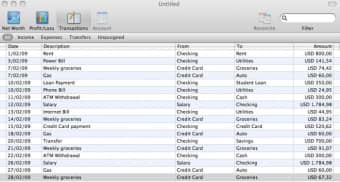
After onboarding, the main window appears with the four navigation buttons at the top. Begin by clicking Transactions to add income or expense entries. Use the date widget to select the exact day, or type “today” for quick entry.
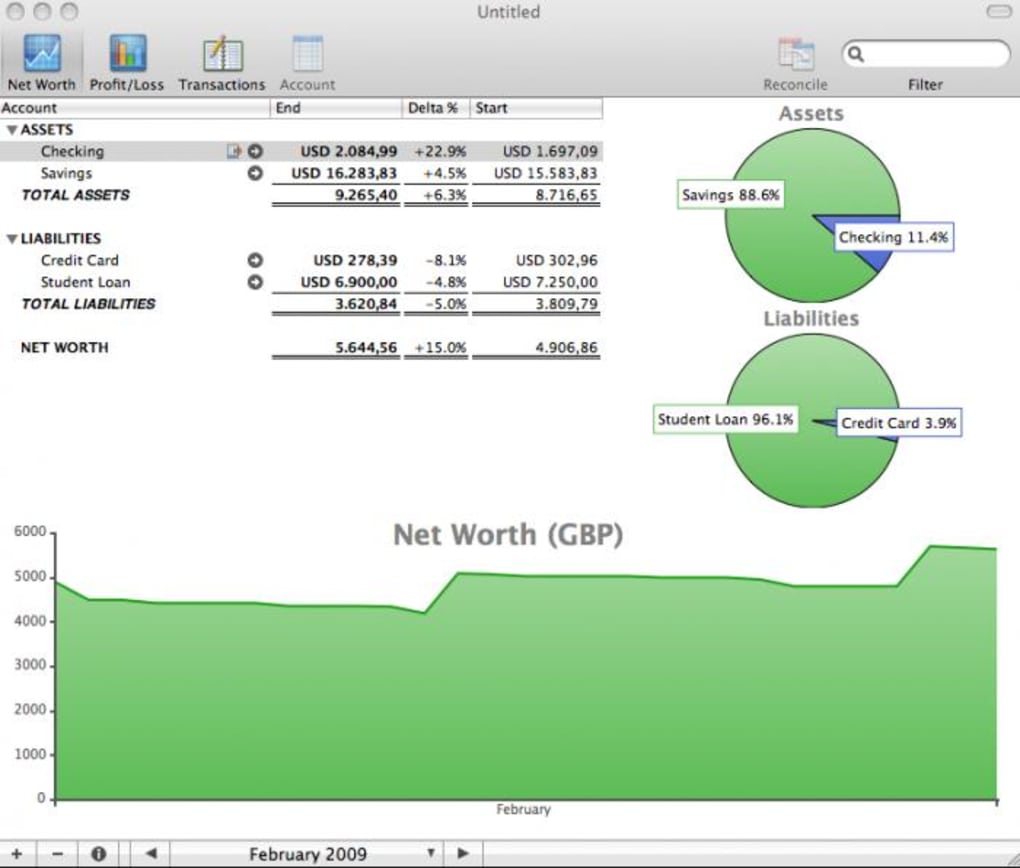
For recurring bills, create a template and enable the “repeat monthly” toggle – MoneyGuru will auto‑populate future entries, saving you time. Switch to Net Worth to see a snapshot of assets versus liabilities; the app aggregates data from all accounts you defined, showing you a clear equity figure. The Profit/Loss tab breaks down earnings and spending by category, letting you spot trends such as rising utility costs or unexpected subscription fees.
Finally, the Account view provides a ledger‑style list of each account’s balance, making it easy to reconcile with your bank statements. Throughout your usage, the search box remains at the top, ready to locate any transaction by keyword, amount, or date. Keyboard shortcuts, like Ctrl + N for a new transaction, can be customized in the preferences pane, letting power users streamline their workflow even further.
Compatibility, Pros & Cons – What You Need to Know Before Downloading
MoneyGuru runs natively on macOS (10.12 Sierra and later, including full OS X Lion compatibility), Windows 10/11, and most modern Linux distributions with GTK+ support. The application is a 64‑bit binary, ensuring smooth performance on current hardware. Mobile versions are not currently offered, but the desktop client works seamlessly on tablets that support a full desktop OS.
Pros
- Completely free – no hidden subscription fees.
- Real‑time updates keep your financial picture current.
- Intuitive four‑button navigation eliminates menu overload.
- Robust search and keyboard shortcuts accelerate data entry.
- Secure local storage with optional encrypted cloud backup.
- Cross‑platform support for macOS, Windows, and Linux.
- Export capabilities for CSV, PDF, and QIF formats.
- Regular free updates and an active community forum.
Cons
- No dedicated mobile app – you need a desktop or laptop.
- Advanced investment tracking features are limited compared to full‑blown accounting suites.
- Initial onboarding may feel basic for users accustomed to automated bank imports.
- Custom reporting templates require manual configuration.
Overall, the advantages of MoneyGuru far outweigh the drawbacks for most personal finance users. Its free price point, real‑time analytics, and uncluttered UI make it a compelling choice for anyone looking to gain control over their money without a steep learning curve. While power investors might miss sophisticated portfolio tools, the core budgeting and net‑worth tracking features are solid, reliable, and continuously improved by the development team.
Frequently Asked Questions About MoneyGuru
Is MoneyGuru really free or are there hidden costs?
MoneyGuru is 100 % free for all core features. The developers do not charge a subscription or a one‑time license fee. Optional cloud backup is also free, though you may incur storage costs from the third‑party service you choose.
Can I import my bank statements automatically?
MoneyGuru supports CSV imports, which most banks provide. While there is no direct API integration, you can export a CSV from your online banking portal and drag it into the Transactions view for quick import.
How secure is my data when I use the optional cloud sync?
All data sent to the cloud is encrypted with AES‑256 before leaving your device. The encryption key is derived from your master password, which never leaves your computer, ensuring that only you can decrypt the backup.
Does MoneyGuru work on the latest macOS versions?
Yes. The latest release includes full compatibility with macOS Ventura, Monterey, and older versions back to OS X Lion, thanks to the updated Cocoa framework integration.
Can I track multiple currencies?
MoneyGuru allows you to set a primary currency for your dashboard, but you can also add accounts in different currencies. The app will display conversion rates based on the latest market data, making it easy to monitor international finances.
Conclusion – Take Control of Your Finances with MoneyGuru Today
MoneyGuru delivers a powerful blend of real‑time insight, user‑friendly design, and robust security—all without asking for a single cent. Whether you are just starting to budget or you need a reliable companion for complex household finances, the application’s four‑button layout, instant search, and customizable shortcuts make everyday money management feel effortless. Its cross‑platform support ensures you can work on macOS, Windows, or Linux without missing a beat, and the free cloud backup option adds peace of mind for those who prefer an extra safety net.
While it lacks a mobile app and some high‑level investment tools, the core features are more than sufficient for personal budgeting, net‑worth tracking, and profit‑loss analysis. In short, MoneyGuru is a solid, free alternative to bloated finance suites, and it continues to evolve thanks to an active development team and community. Download MoneyGuru now, set up your first account, and watch how quickly you gain clarity over every dollar you earn and spend.







